
Visual bookmark manager for Chrome
Turn your Chrome bookmarks into a web navigation system.
BookFolio transforms the bookmarks already stored in Chrome into a visual new-tab dashboard for daily tools, projects, research, resources, and reusable groups.
No BookFolio account No separate bookmark database
The bookmark problem
Saved does not mean usable.
Chrome makes it easy to save a link. The difficult part is finding and using it again after your bookmark collection grows.
Routine websites become buried inside folders. Useful articles are saved and forgotten. Project resources are scattered across different locations.
Traditional bookmarks
- Nested menus
- Forgotten links
- Repeated searches
- Disconnected project resources
With BookFolio
- Daily launcher
- Project workspaces
- Research library
- Functional groups
- Visual navigation
BookFolio keeps your existing Chrome bookmarks, but gives them a visual and functional structure built for navigation.
One library, many contexts
Organize the web around the way you use it.
Go beyond folders. Shape saved links into useful spaces that match your day.
Daily tools
Keep email, calendars, dashboards, task managers, and frequently used websites immediately available.
Projects
Group documentation, repositories, files, dashboards, and tools into a reusable project context.
Research
Build a personal library of articles, references, databases, documentation, and resources worth revisiting.
Study
Organize learning platforms, readings, notes, exercises, and reference materials.
Personal directory
Create your own structured map of the websites that matter to you.
Browsing routines
Open a complete set of related websites instead of finding every page individually.
Open 6 links →The real interface
See your bookmarks from a better angle.
From a full new-tab workspace to focused side-panel access, BookFolio stays close without getting in the way.
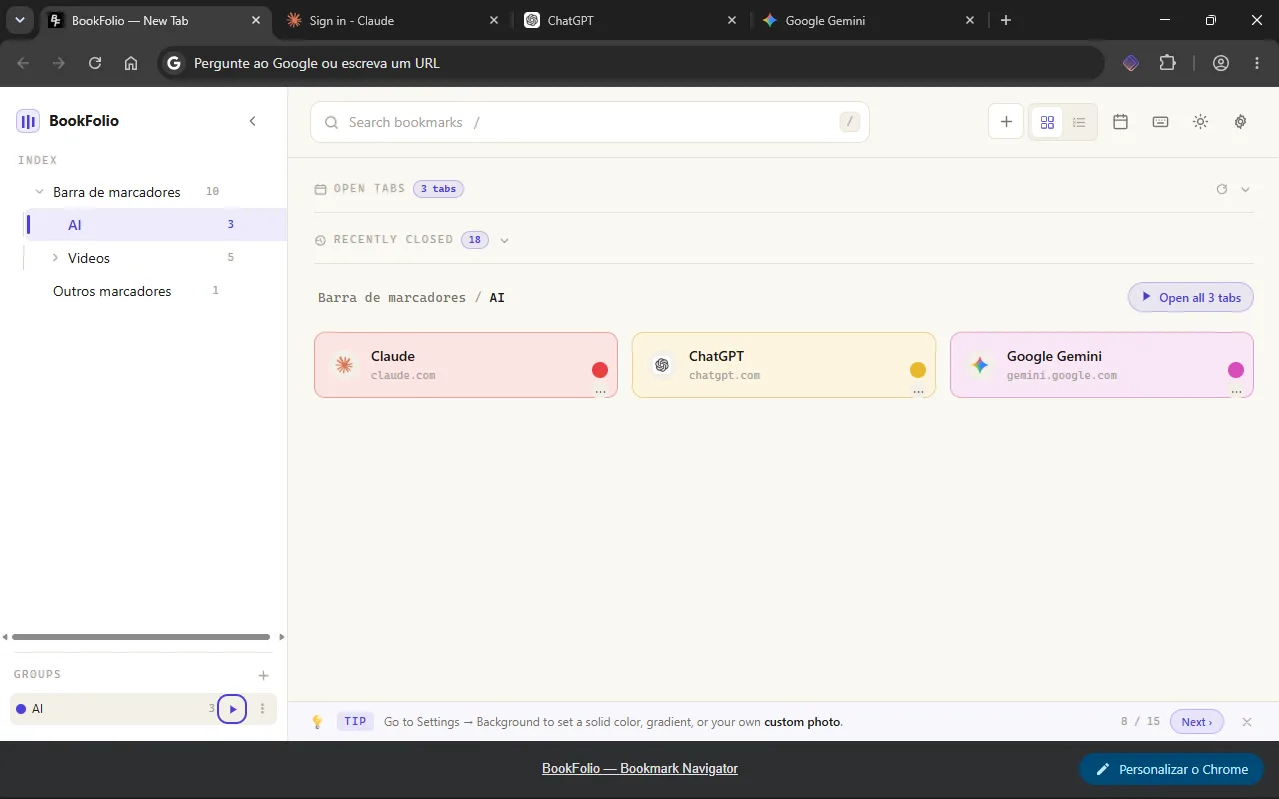
Browse folders, groups, open tabs, recent sessions, and color-coded bookmarks in one workspace.
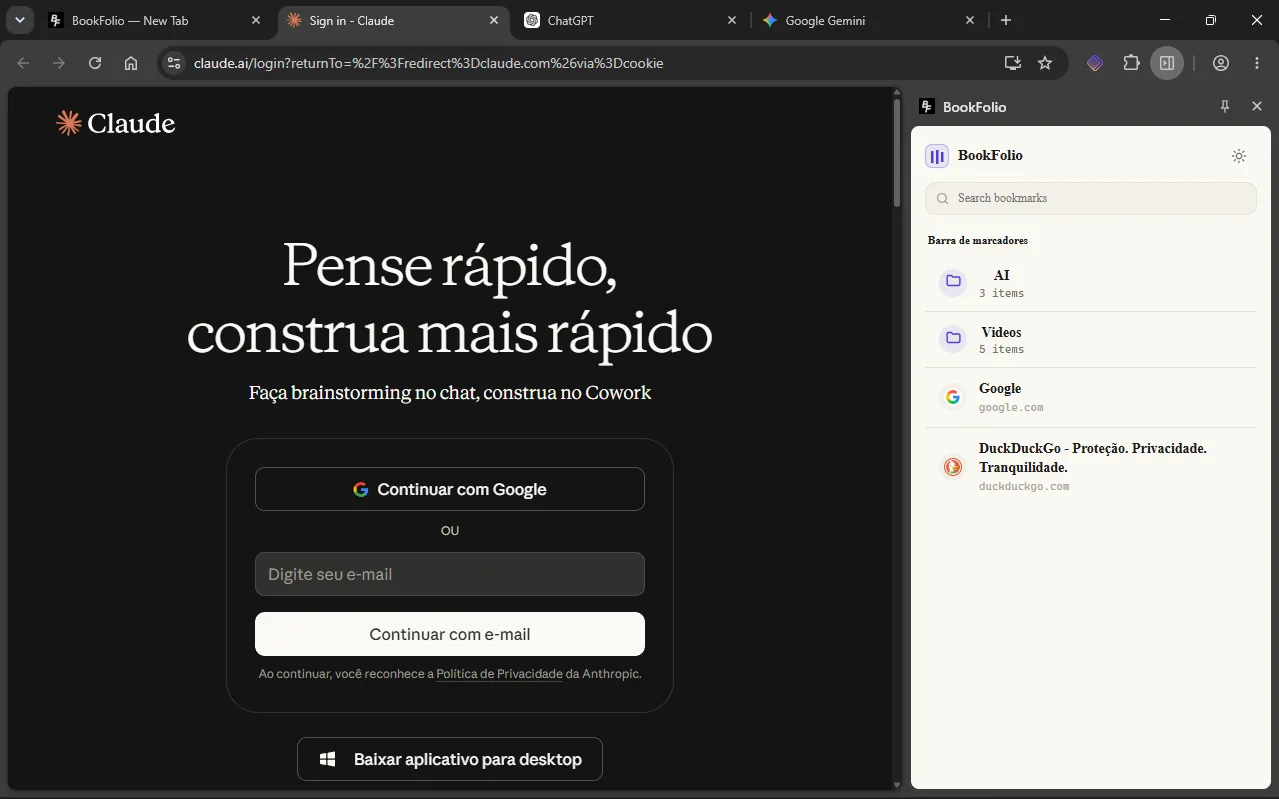
Search and open bookmarks alongside the website you are using.
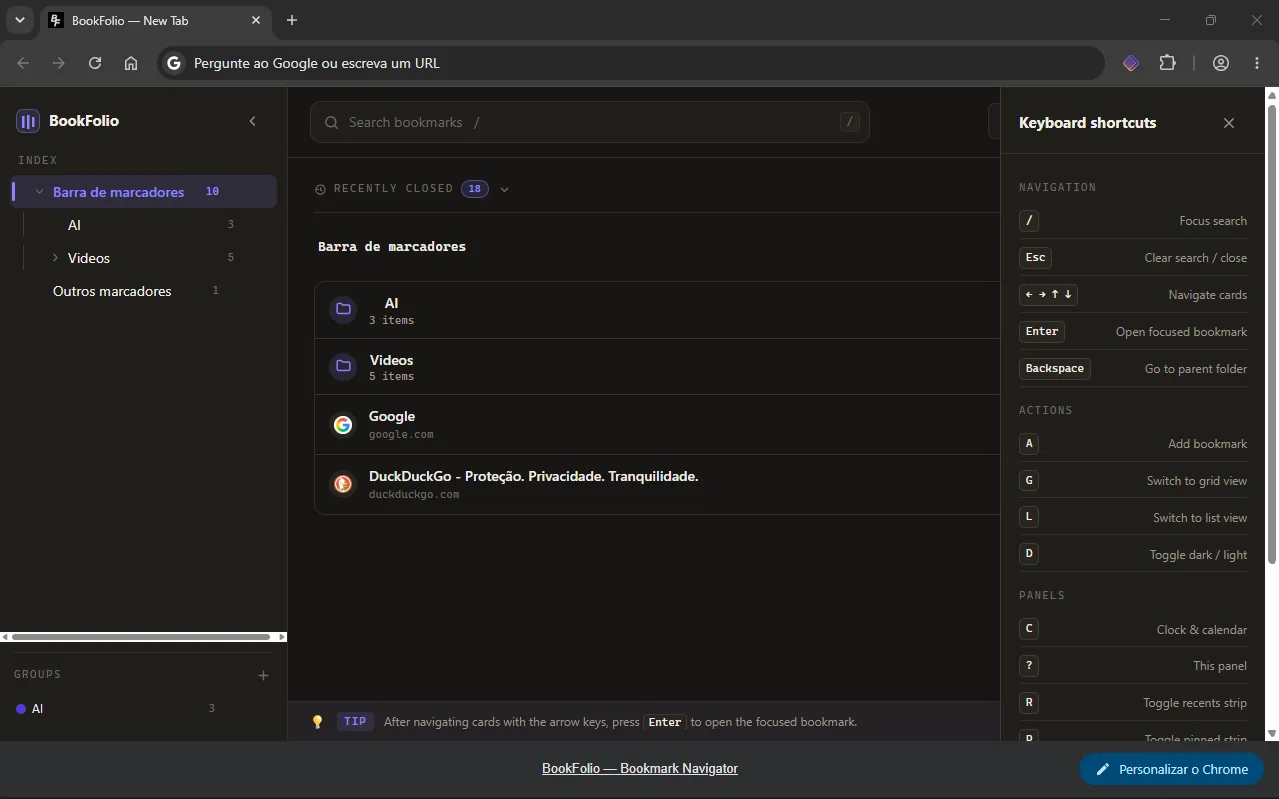
Keep shortcuts for search, navigation, views, themes, and panels within reach.
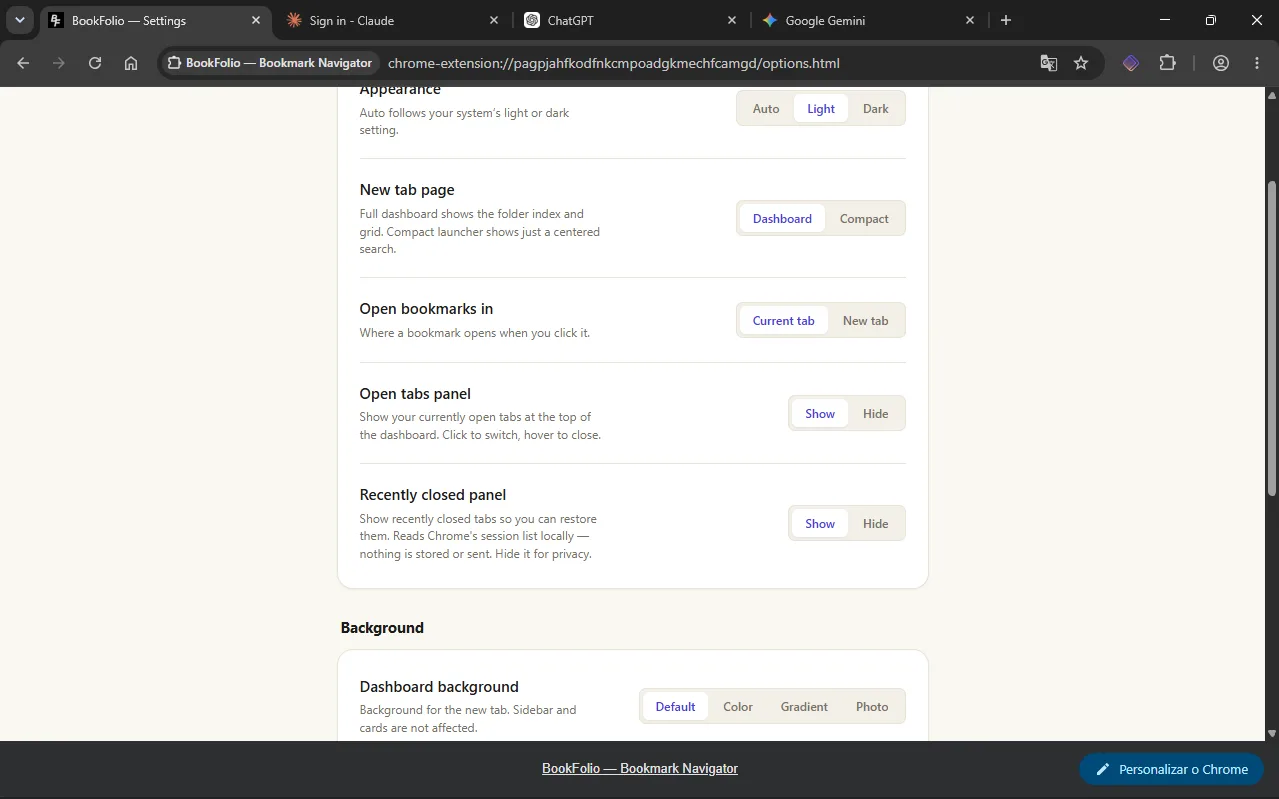
Choose the theme, new-tab layout, optional panels, opening behavior, and background.
Across your browser
Your bookmarks, available throughout Chrome.
One collection. Multiple ways to reach exactly what you need.
New-tab dashboard
Open a new tab and browse your complete bookmark hierarchy as a visual workspace.
Side panel
Navigate and search bookmarks while keeping the current website open.
Address-bar search
Type bf in the Chrome address bar to search bookmarks from anywhere.
Functional groups
Combine related links independently of folders and open a complete context when needed.
Visual organization
Use colors, emoji, pinned links, recent items, grid view, and list view for faster recognition.
Keyboard navigation
Search and navigate the bookmark workspace without relying on the mouse.
Local-first by design
Built around your existing Chrome bookmarks.
BookFolio does not require an account and does not use advertising or analytics trackers.
The extension works with bookmarks stored in your Chrome profile. BookFolio does not operate an external server that receives your bookmarks or browsing history.
Your bookmarks remain compatible with Chrome’s native bookmark structure. Chrome may sync profile data according to your own browser settings.
Does BookFolio replace my Chrome bookmarks?+
No. BookFolio uses the bookmarks already stored in Chrome and presents them through a visual navigation interface.
Do I need to import my bookmarks?+
No. Your existing bookmark hierarchy is available after installation.
Does BookFolio require an account?+
No BookFolio account is required.
Is BookFolio free?+
Yes. BookFolio is currently free to install and use.
Does uninstalling BookFolio delete my bookmarks?+
BookFolio works with Chrome’s native bookmarks. Uninstalling the extension does not remove bookmarks stored in your Chrome profile.
Why does BookFolio request access to bookmarks and tabs?+
Bookmark access is required to display, search, create, move, and organize Chrome bookmarks. Tab access supports features such as the open-tabs panel, recently closed tabs, bookmark groups, and switching between active pages.
Ready when you are
Your bookmarks are already there.
Make them useful.
Turn saved links into a daily launcher, project workspace, research library, and personal directory of the web.